Water Investment Projects
User guide
The Water Investment Projects portal lets participating governments share one-page project teasers with invited investors and operators ahead of the Water Investment Summit (9 December 2026, Abu Dhabi). Investors request bilateral meetings, and each country decides which meetings to accept. Access is by invitation only.
Signing in
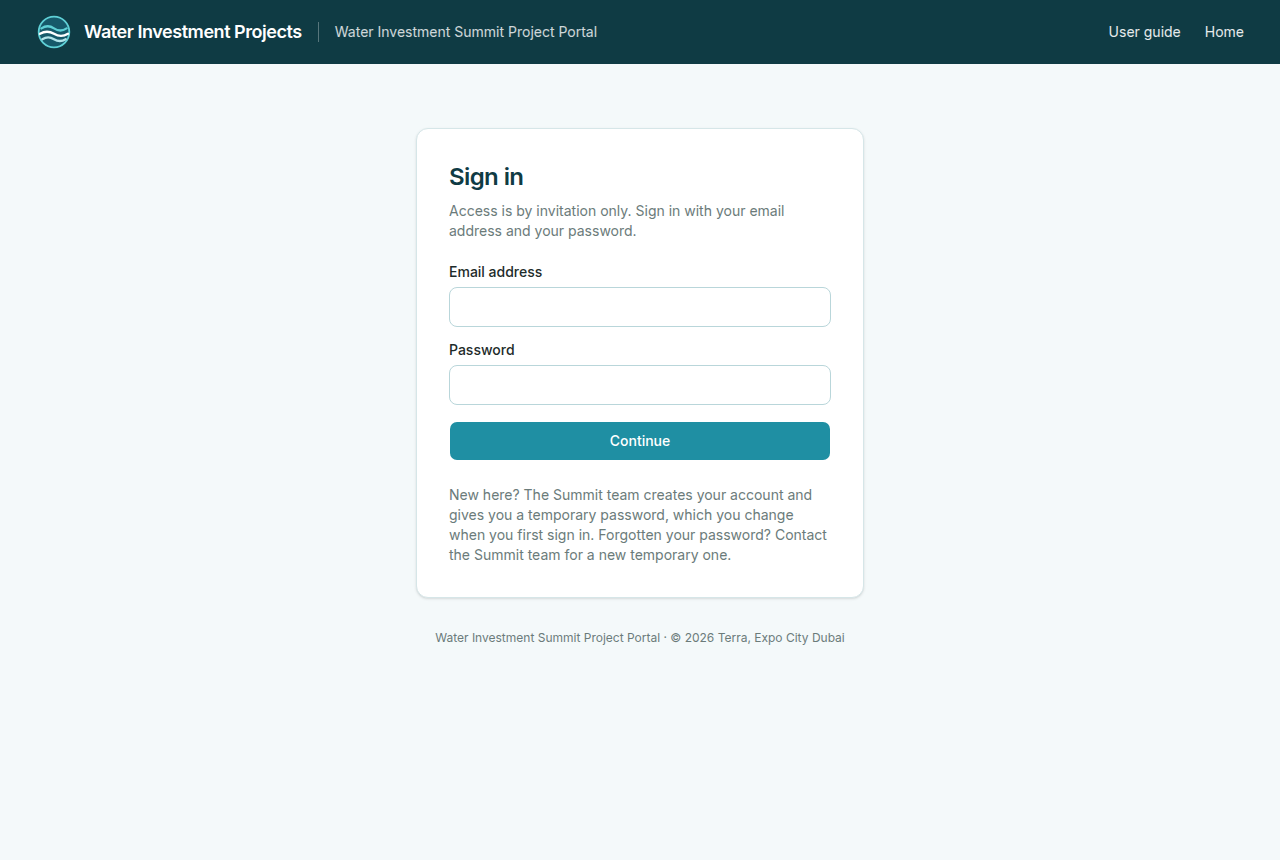
Everyone except government uploaders needs a personal account. The Summit team creates it and gives you your email address and a temporary password directly. There is no public registration.
- Go to Sign in and enter your email address and the temporary password.
- Investors, operators and the Summit team then choose their own password (at least 12 characters), and the temporary password stops working. Country and WBG coordinator accounts keep the password they were given, because WBG colleagues may help a government manage its account.
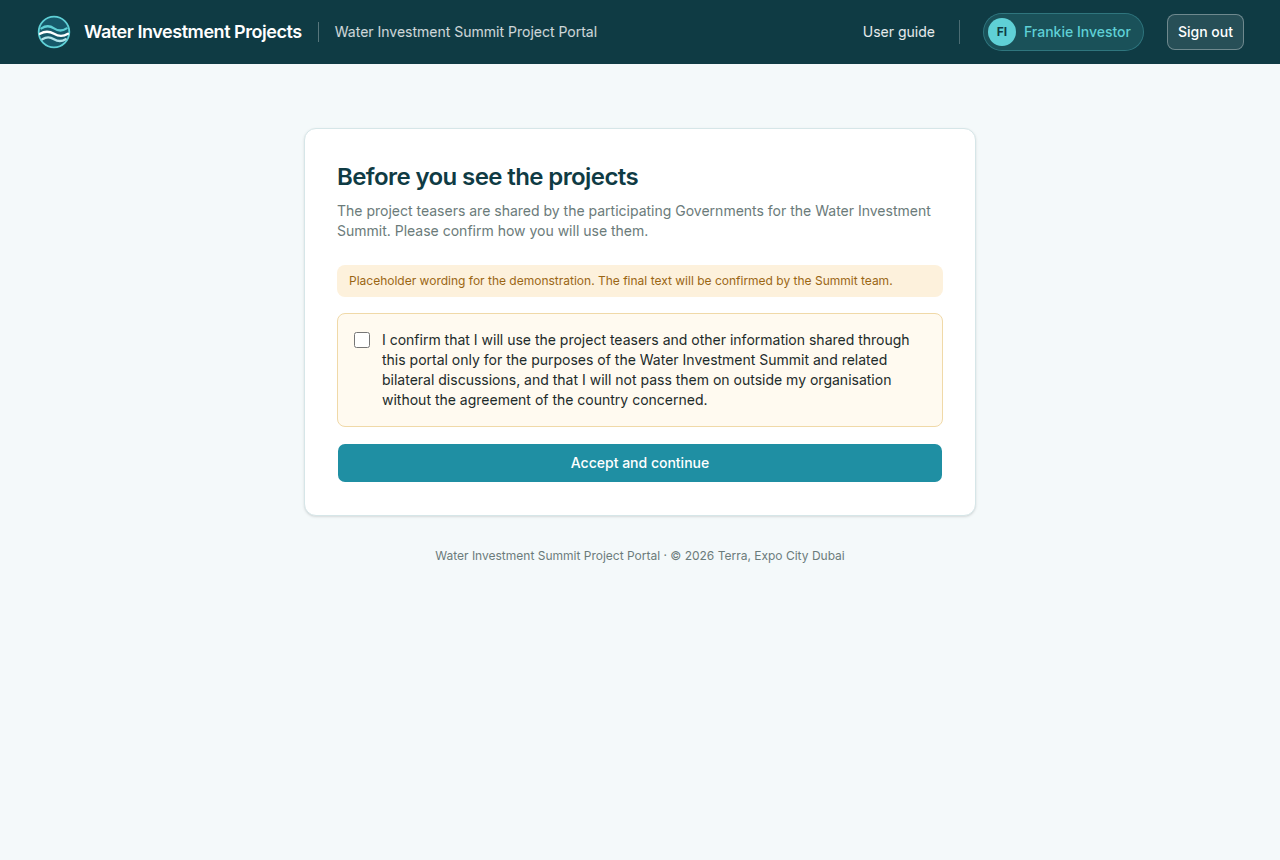
- Investors and operators then read and accept a short acknowledgement about how the shared information may be used. You are asked again only if its wording changes.
- You are signed out automatically after a period of inactivity. Sign in again to continue.
- After five wrong passwords in a row, sign-in is paused for 15 minutes.
- Forgotten your password? Contact summit@waterinvestmentprojects.org. The Summit team gives you a new temporary password.
- Please do not pass your password on to anyone outside the people the Summit team gave it to. Several people of one country can each have their own account: ask summit@waterinvestmentprojects.org.
Governments: uploading teasers
Your country receives its own upload link from the Summit team.
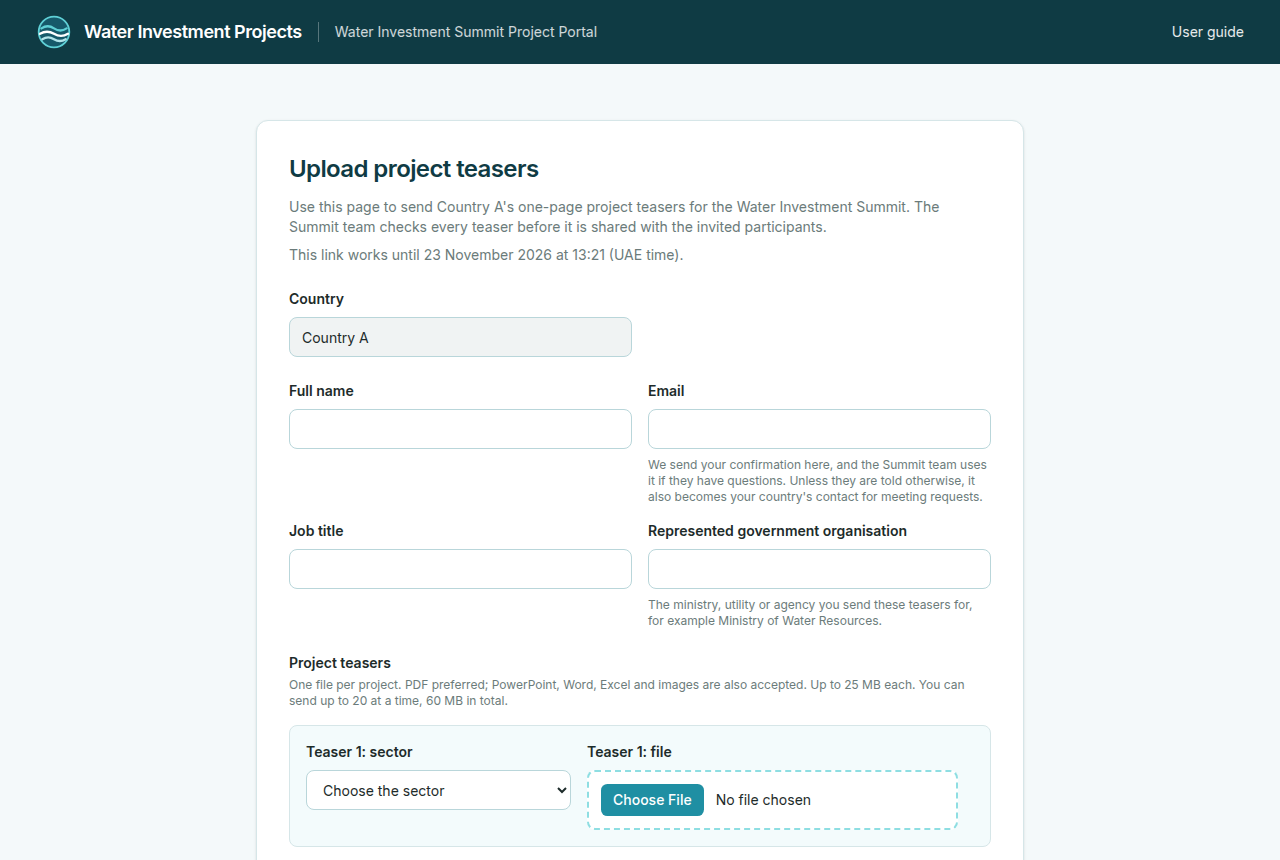
- Open the upload link. Your country is already filled in.
- Enter your full name, email, job title and the government organisation you represent (for example the ministry, utility or agency). All four are required.
- Add your project teasers: up to 20 at a time. For each one, choose the sector and select the file, up to 25 MB each and 60 MB in total. PDF is preferred; PowerPoint, Word, Excel and images (JPG, PNG) are also accepted. The Summit team converts other formats to PDF before a teaser is shared.
- Read the consent statement and tick the box. It confirms, on behalf of your government, that the teasers may be shared with the participants invited to the Water Investment Summit.
- Select Send teasers. A confirmation page shows a reference; please print or save it. You also receive a confirmation by email.
Every file is checked for viruses. The Summit team then reviews the teasers and publishes them in the pipeline. To replace or withdraw a teaser, or if the link no longer works, contact summit@waterinvestmentprojects.org.
The person who uploads becomes your country's contact for meeting requests, unless the Summit team names another focal point.
Country focal points: meeting requests
As a country user (focal point, colleague or WBG relationship manager acting for the country) you sign in with the account the Summit team gave you (see Signing in).
- Pipeline projects shows the published teasers of every participating country, read-only, as investors see them.
- My projects lists your country's projects and whether each one is published. Changes to projects are made by the Summit team; contact them if something needs correcting.
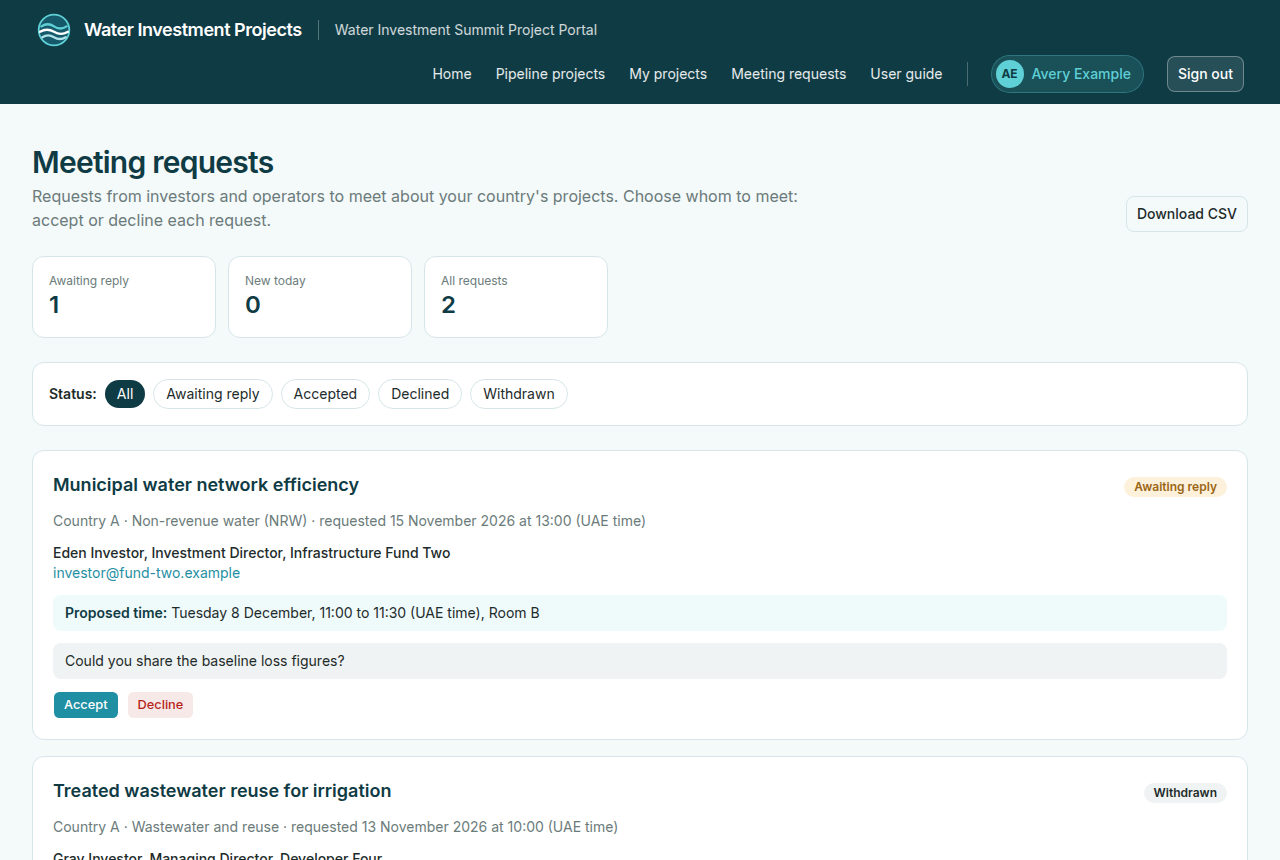
- Meeting requests lists the requests from investors and operators for your country's projects: who will attend, their organisation and role, their note and the meeting time they chose. Use the filter to see new, accepted or declined requests.
- Select Accept or Decline for each request. Your decision is final and the investor sees it in their list. Accepting books the chosen time and room; declining frees it.
- Download CSV gives you the list as a spreadsheet, for example to share with colleagues preparing the meetings.
Please check the list regularly between the opening of the portal and the Water Investment Summit.
Investors and operators
- Sign in and accept the acknowledgement (first time only).
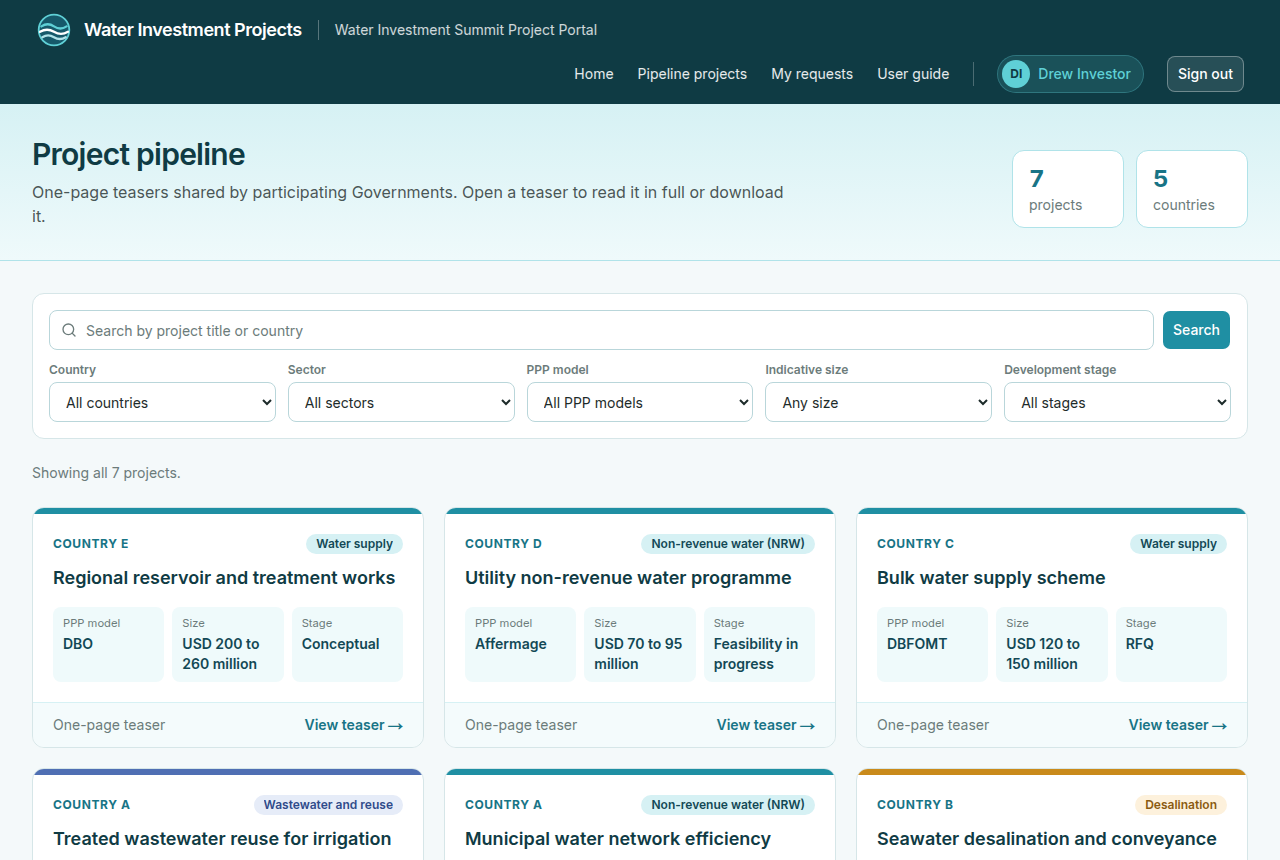
- Open Pipeline to see every published project teaser. Search by title or country, and filter by country, sector, PPP model, indicative size and development stage.
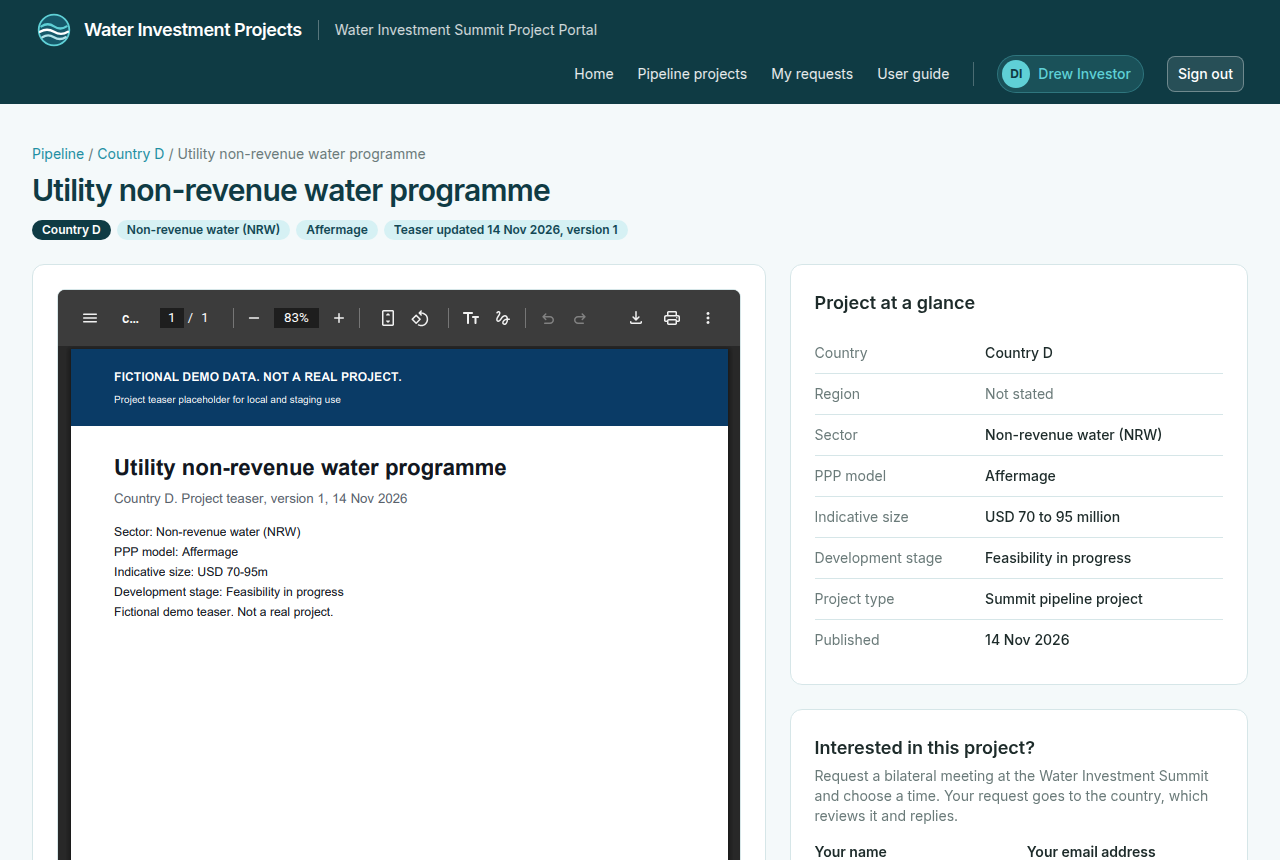
- Open a project to read its teaser in the page, or download it. On a phone, open the teaser in a new tab.
- To meet the country, use Request a meeting on the project page: the name and email address of the person who will attend, your organisation and role, and, if you wish, a short note. Choose a Meeting time: 30-minute bilateral meetings in Room A or Room B, UAE time. Times you or the country already have are not offered. The time is held for you until the country answers. You can have one open request per project.
- My requests shows each request and its status: Awaiting reply, Accepted, Declined or Withdrawn. You can withdraw a request that is awaiting a reply or already accepted, for example if you can no longer attend.
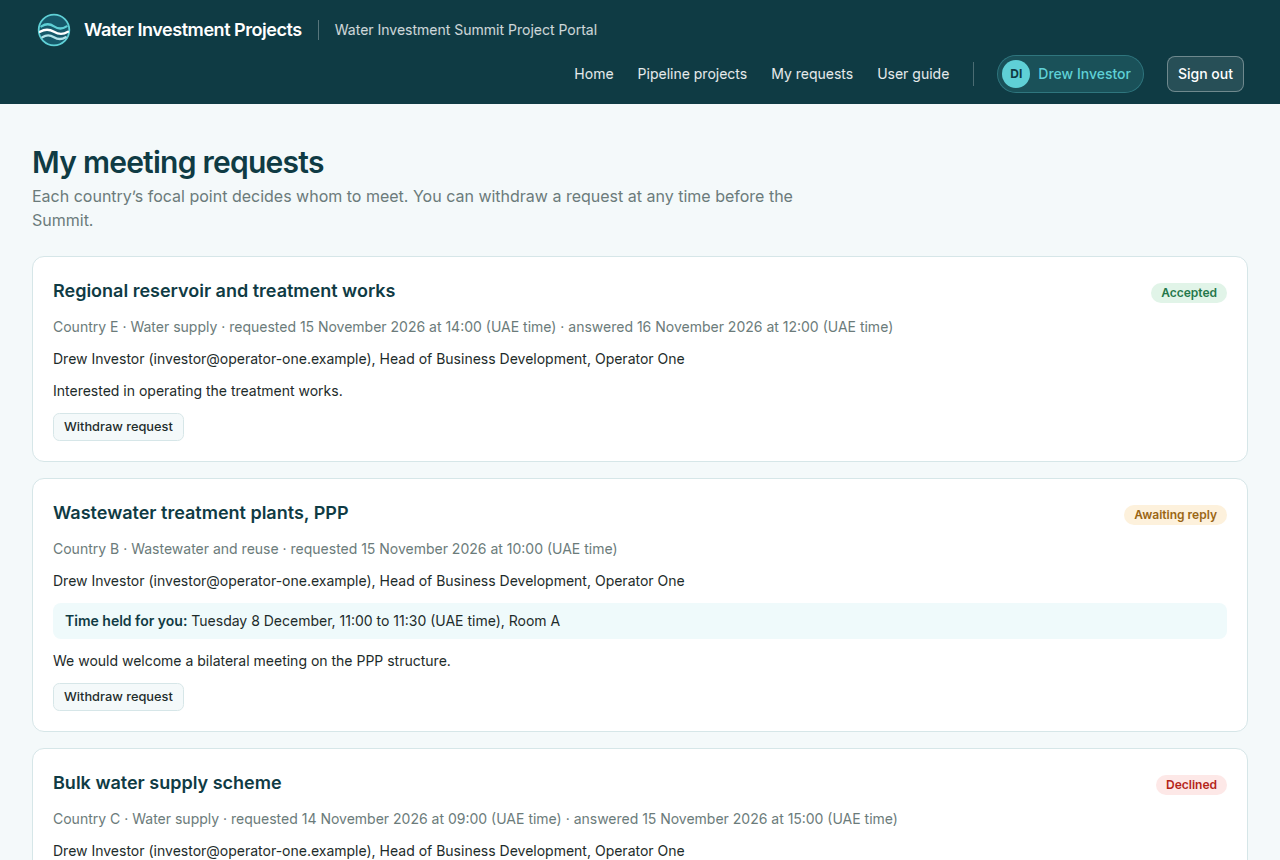
When a country accepts, your meeting time and room are booked; you see them under My requests. If every time was taken, the Summit team contacts you about a time. Please use the teasers only for the purposes set out in the acknowledgement.
Coordinators
Coordinators see the meeting requests for the countries they follow under Meeting requests, and can select Download CSV for a spreadsheet of them. Decisions on requests are made by the country focal points.
Summit team
Summit and platform admins have an Admin area. In short:
- Upload links: create one link per country, with an expiry date, or links for every country at once with a CSV download. The full link is shown only once; send it to the country. Links can be revoked and replaced.
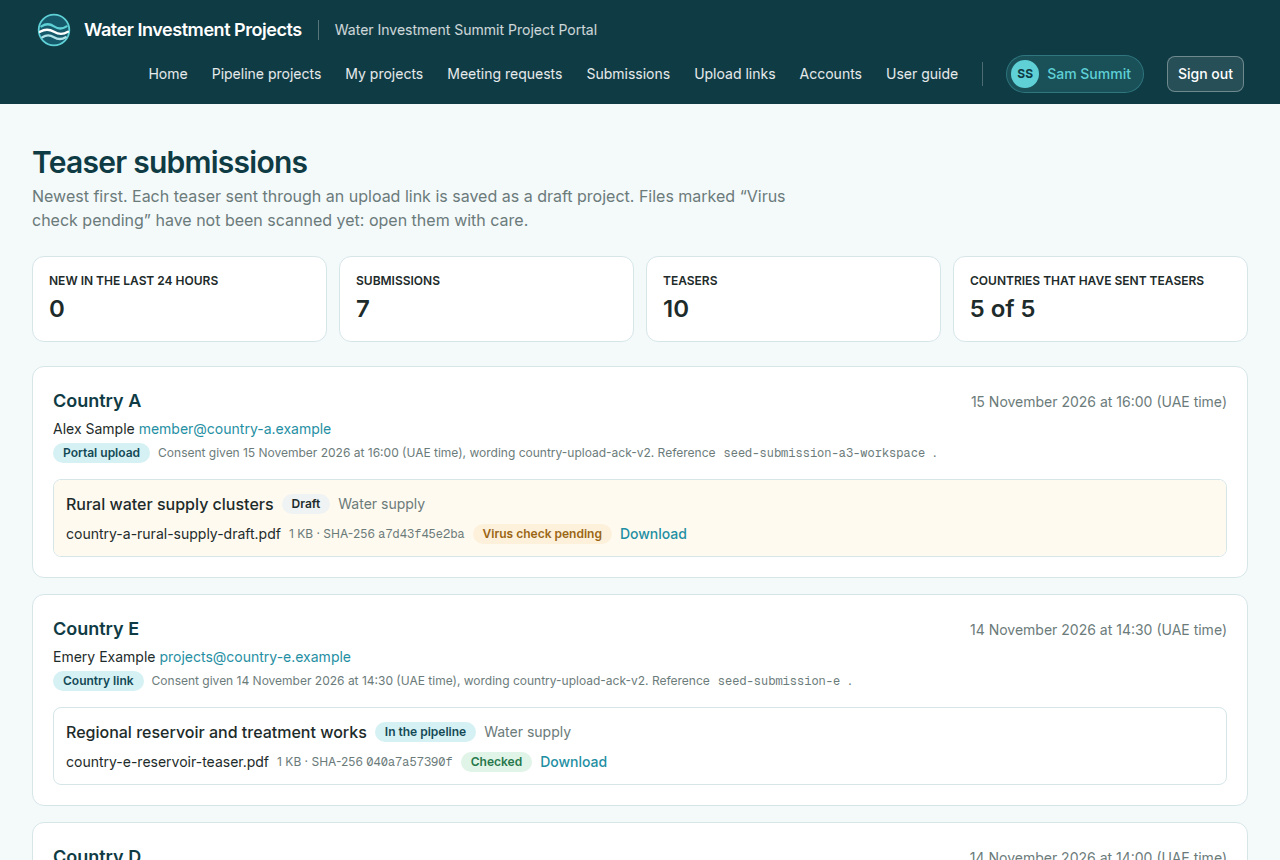
- Submissions: see every upload, its sender and its virus check, and open clean files.
- Projects: correct titles and sectors, add region, PPP model, size and development stage (one by one or by CSV import), then publish. A project marked Needs PDF was sent in another format: convert it, upload the PDF as a new version on the project page, then publish. Investors only ever see PDFs.
- Accounts: create accounts one by one or from a CSV list (several people per country are fine), hand over passwords personally, issue new ones, and deactivate accounts. Country and WBG coordinator accounts keep the password they are given; switch them off after the Summit.
- Meeting schedule: the grid of Room A and Room B, with the times held for pending requests and the meetings booked.
- Countries and contacts, Exports: focal points and coordinators per country, and CSV exports of projects, submissions, contacts and meeting requests.
Help
For access, passwords or anything that does not work as described here, contact summit@waterinvestmentprojects.org.
© 2026 Terra, Expo City Dubai